
Creating your first event with Kago is simple. Here’s a step-by-step guide:
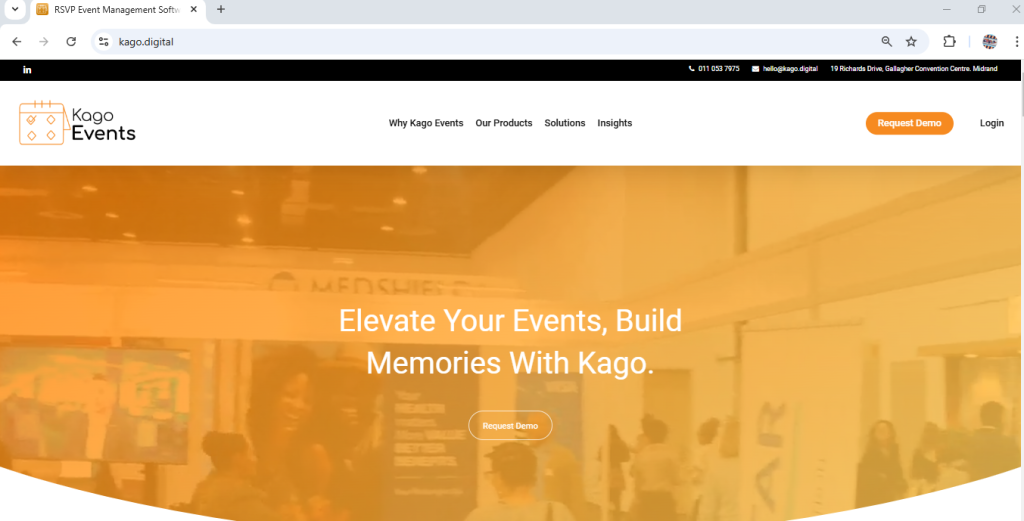
Visit the Kago digital Website
- Open your web browser and go to kago.digital.

Click Login to access your Kago Events dashboard.
Sign-In Process
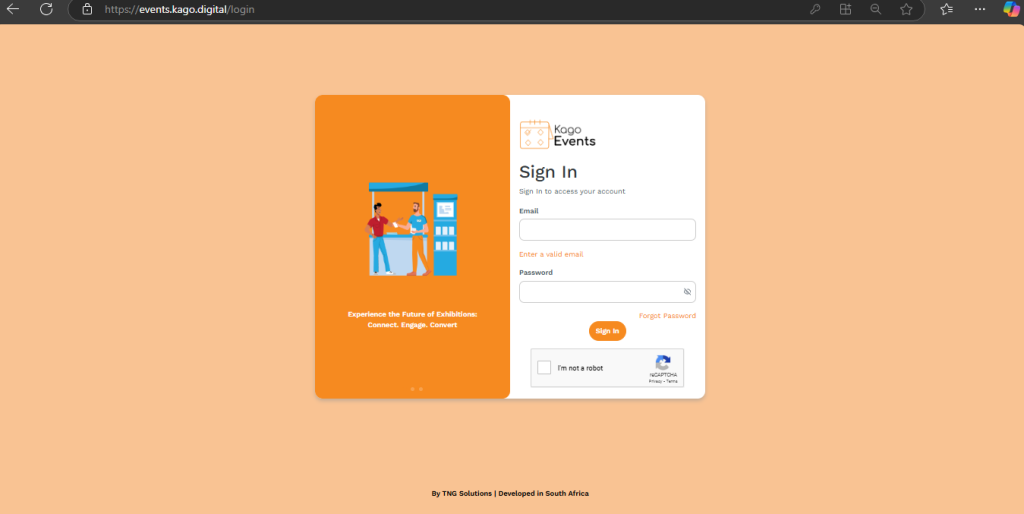
- Once you log in, you will be directed to the sign-in page. Enter your email and password, then complete the CAPTCHA.
- A verification code will be sent to your email.
- Enter the code to complete the sign-in process.
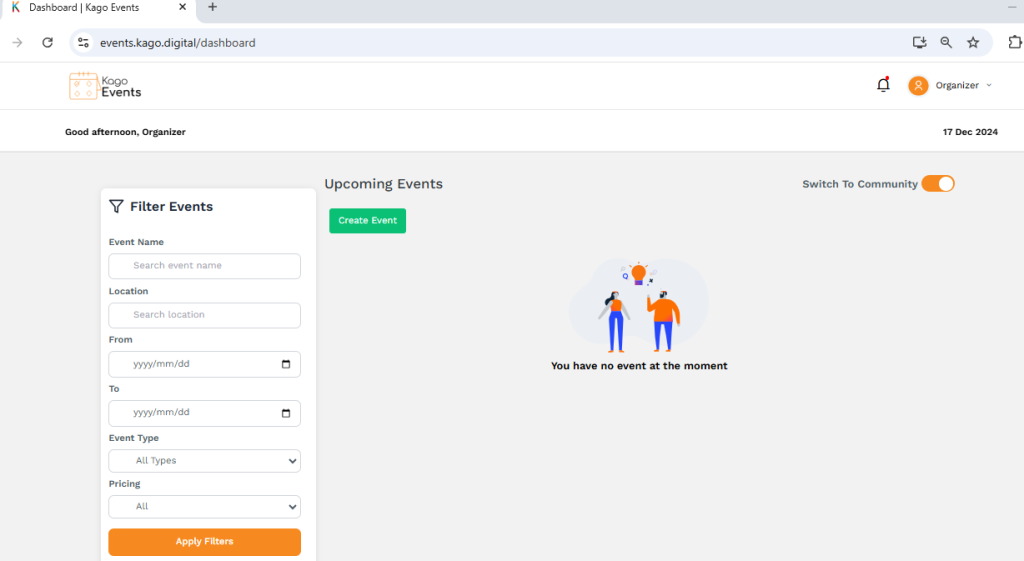
Click “Create Event”
- Start by clicking the “Create Event” button on your dashboard. This will open the event setup wizard.
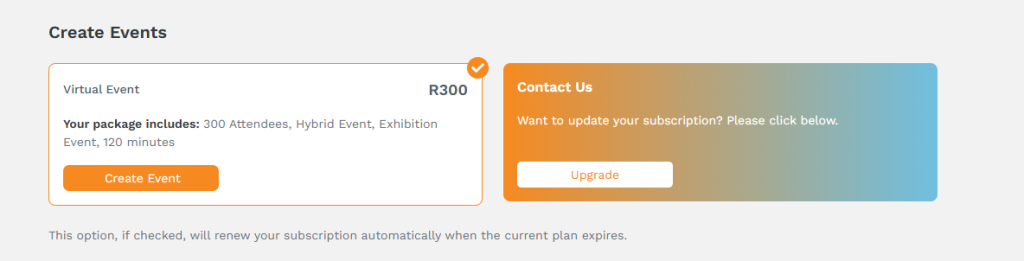
- There are two types of events available. You can either select the Virtual Event package or click Upgrade under the Contact Us section.
- For Virtual Events, follow these steps:
- To create an event, select the Virtual Event package priced at R300, which includes 300 attendees, hybrid event features, exhibition options, and a duration of 120 minutes. Click the Create Event button to proceed.
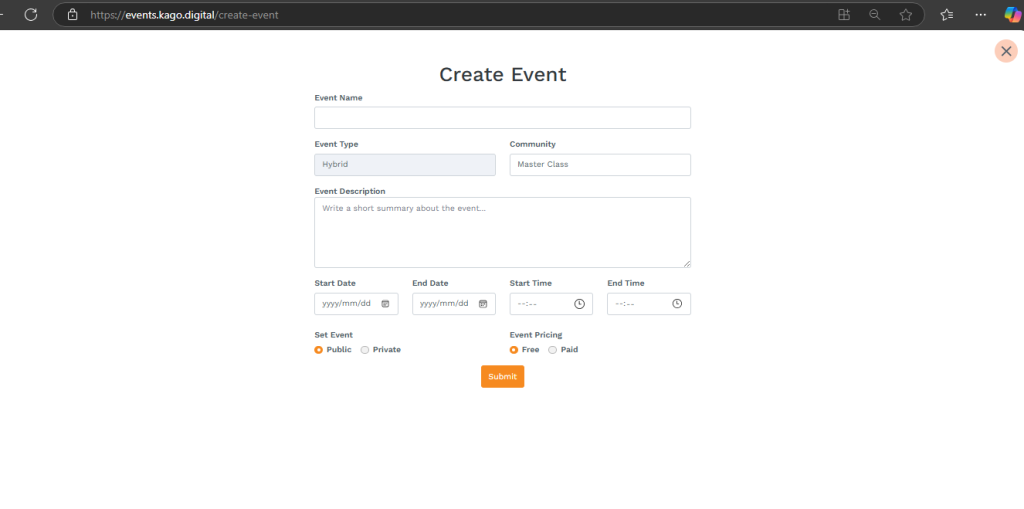
- If you wish to modify your subscription, click Upgrade under the “Contact Us” section. Additionally, enabling the auto-renewal option ensures your subscription is automatically renewed when the current plan expires. For further assistance, feel free to contact our support team.
Enter Event Details
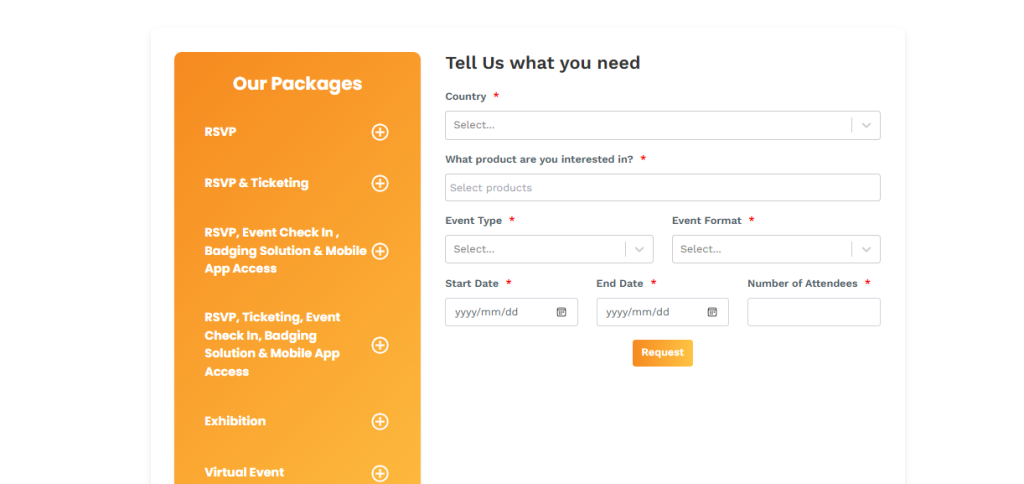
- To customize your event experience, explore the available packages listed under Our Packages, such as RSVP, RSVP & Ticketing, RSVP with Event Check-In and Mobile App Access, or Virtual Event options.
- Use the form on the right to specify your requirements: select your country, choose the desired product, and define the event details, including type, format, start and end dates, and the number of attendees. Once completed, click Request to submit your preferences.
Design Your Event Page
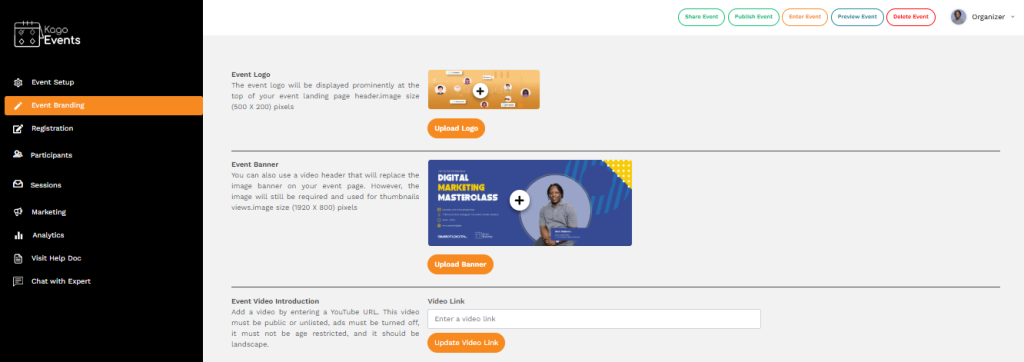
- Customize the look and feel of your event page using Kago’s design tools.
- Add your event’s branding, such as logos, images, and theme colors.
Publish and Promote
- Once your event is ready, publish it to make it live.
- Use the built-in tools to share your event on social media or via email campaigns.

Monitor and Manage
- Keep track of registrations and event engagement through your dashboard.
- Make adjustments as needed, such as updating event details or sending reminders.
Pro Tip: Take advantage of our event templates for a quicker setup!